General
Best Practices
Helpdesk Request Form
Welcome
Event Procedure
Lab Closure Procedure
Links
Resource Drive Conventions
Resource Map
Shipping (FedEx)
Shipping (International)
Suggestion Box
Support Article Guidelines
Information Technology
Email & Calendar
Calendar Resources
Email Groups
Email Overview
Email Signatures
Google 2-Step Verification
Google Calendar Overview
Phishing
Yubico Security Keys
Print & Fax
Software
1Password
Adobe Acrobat DC
Adobe Creative Cloud
ArcGIS
Colby VPN
Combine PDFs in Adobe Acrobat
Excel Trust Settings
Install Falcon Antivirus
Microsoft Office
Microsoft Office Runtime Error Fix
Slack
Software Resources
Uninstall OpenVPN
Windows 10 - Restore from backup
Account Access
Artificial Intelligence (AI)
DNS
Data Storage and Computer Backups
Desk Phones
Filling PDFs
Google Drive
HPCC and Storage Proposal Information
Laptop Recommendations
Migrating data from Storage to Google Drive
Passwords
Restoring Files
Status
Storage
VPN
Vendor Access
Website Request
WiFi
Zeiss Digital Classroom
HR & Payroll
Paid Time Off
Payroll Overview & FAQ
Personnel Offboarding
Personnel Onboarding
Timesheet Approval (supervisors)
Timesheets
Facilities
Finance
Admin
Budget & Reports
Invoicing
Policies & Procedures
Advancement Entry of Donations and Pledges
Corporate Traveler / Melon
Gas and Cryo-Supply Ordering Process and Form Link
Purchasing Flowchart - for staff reference
Purchasing Policy
Vendors Exempt from Purchase Orders
Proposals
Purchase & Expense
Bill/Invoice Approval
Creating a Bill to be Paid
Equipment Capitalization Help
Expense Report
Expense Report (example)
Non-Employee Reimbursement
Purchase Order
Purchase Order (example)
Purchase Order (supplemental)
Recurring Purchase Order (SRS)
Amazon.com
Approval Reminders
Business Office Orientation
Capital One - Corporate Credit Card
Customize Dashboard
Dashboard (SRS)
NetSuite FAQ
NetSuite Login
NetSuite Shortcuts
Revenue Flow Chart
StaplesAdvantage.com
Workshop, Training Projects, and Participant Support Help
Computing
Software
AAI Calculation
ANI Calculation
AlphaFold
Anvi'o
Conda environments
Jupyter notebook
Prokka
RStudio
dada2
sag-mg-recruit
Job management
Charlie Overview
Connect to Charlie
Edit with VS Code
Getting Started
Monitor jobs
Software modules
Transfer files
Zoom
Zoom Overview
Zoom Room Instructions
Closed Captions
Join Teams or WebEx meeting from a Zoom Room
Schedule a Zoom Meeting
Screen Share (Dummy HDMI)
Screen Share (Presenter Mode)
Sign Up and Download Zoom
Zoom AI Companion
Zoom Room: Alfond Room
Zoom Room: Commons
Zoom Room: Conference Rooms
Zoom Room: Forum and Classrooms
Zoom Room: Sage Meeting Room
Zoom Room: Teaching Laboratory
- Home
- Information Technology
- Email & Calendar
- Yubico Security Keys
Yubico Security Keys
Updated
Physical security keys add phish-proof protection to your Google account. Once you have been given a security key, you will not need to use one-time codes from Google Authenticator or text messages.

Sign into Google with a Security Key
Use these instructions when logging into Google or Google-SSO enabled apps, such as NetSuite, VPN, and KnowBe4.
- Enter your username and password, as usual
- Computers: when prompted, plug the key into your computer and touch the gold circle on your key to activate
Phones: when prompted, hold the YubiKey near the top of your phone to activate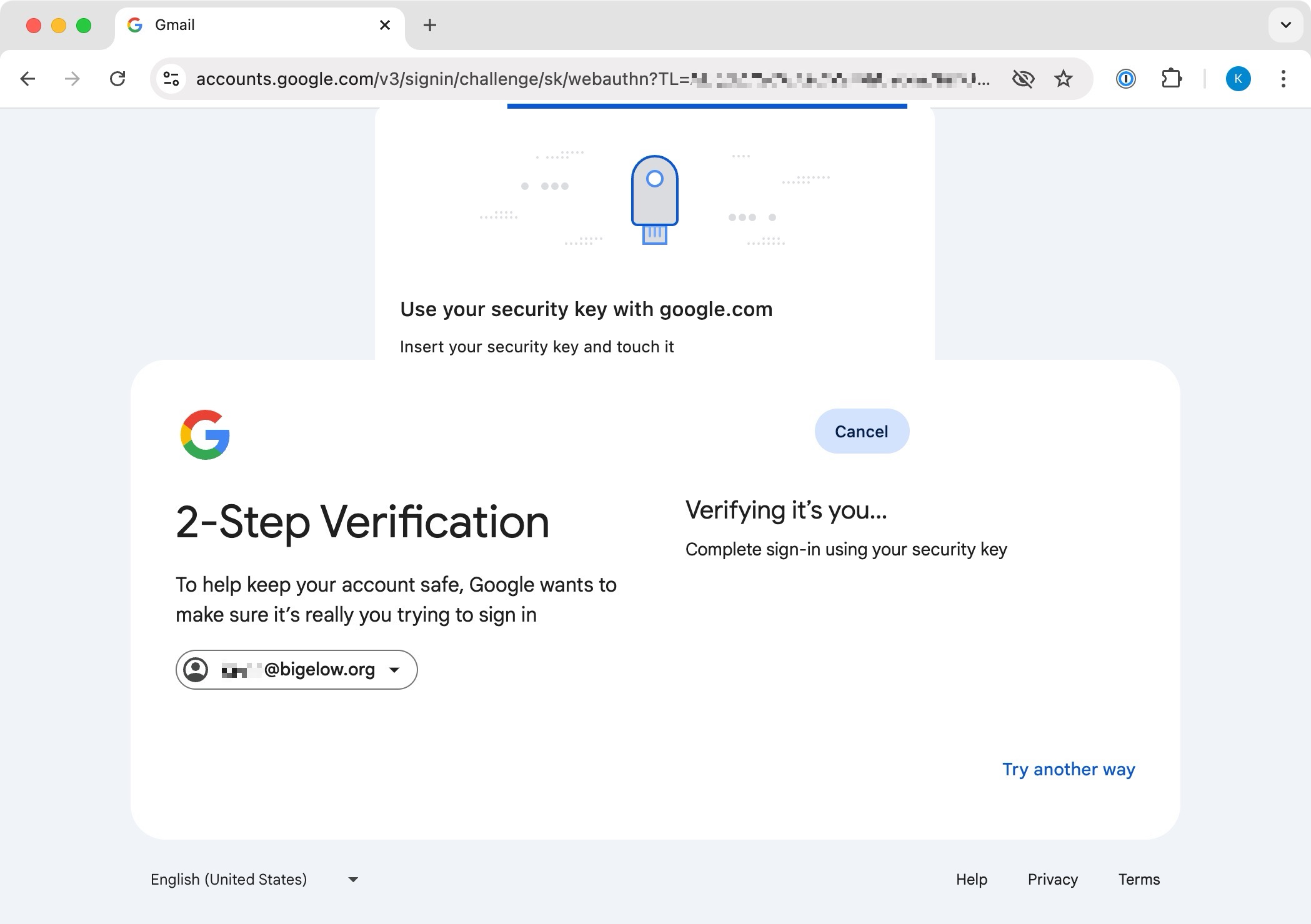
Lost or Stolen Security Keys
If you loose your security key or it is stolen, please contact helpdesk immediately. Your old key will be deactivated and you will be issued a replacement.